Digitrax Worldwide
Tech Support Depot

        Wirle UP92 Duplex
Digitrax in the News

Receivers and Transceivers for LocoNet Throttles


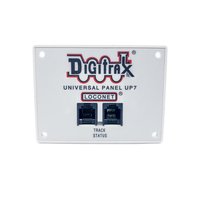
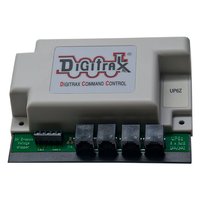
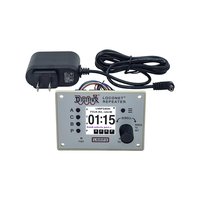
UR92 Duplex Transceiver/IR Receiver Unit The UR92 is a Duplex Transceiver/IR receiver unit. The UR92 looks similar to a UP5 and is mounted in the fascia of the layout. The UR92 is simply an addition to your existing LocoNet so no additional wiring is needed. The UR92 will support dozens of DT402D Duplex Radio throttles in wireless mode and approximately 10 Infra-Ready throttles (DT100, DT300, UT4, DT400 and DT402 series).

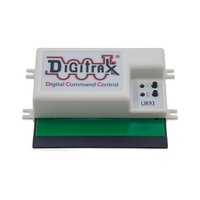
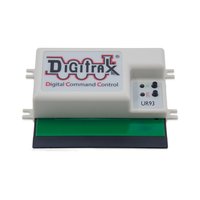
UR91 Radio Equipped/IR Receiver Unit The UR91 is a Simplex Radio/IR receiver unit. The UR91 looks similar to a UP5 and is mounted in the fascia of the layout. The UR91 is simply an addition to your existing LocoNet so no additional wiring is needed. The antennas are concealed under the layout. The UR91 will support approximately 10 radio throttles (DT400R, UT4R or DT402R)

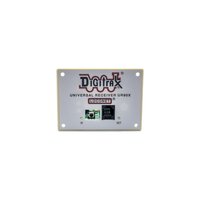
UR90 IR Receiver Unit The UR90 is an IR receiver unit. The UR90 also looks similar to a UP5 and is mounted in the fascia of the layout. The UR90 is simply an addition to your existing LocoNet so no additional wiring is needed. The UR90 will support approximately 10 Infra-Ready throttles (DT100, DT300 and DT400 series + UT4/R).


LocoNet Wireless Throttles


DT402D Duplex Radio Equipped Super Throttle Be careful what you ask for. . it's in the DT402D Super Throttle! The DT402D is our top-of-the-line, Duplex Radio handheld with dual throttle controls. It features an expanded 29 Function control (F0-F28) and convenient step-by-step throttle option set up. Simple to use with any Digitrax LocoNet System including the Zephyr! Works with the UR92 receiver in Duplex wireless or infrared mode, works with the UR91 and the UR90 receiver in infrared mode only.

Having the new DT402D means you'll be doing things differently from now on...

* You’ll select and run your locomotives without plugging in

* You'll dispatch locomotives and consists without plugging in

* You’ll do operations mode programming without plugging in

* You’ll have plenty of range to move around

* You’ll be able to continue to use existing equipment along with
   duplex radio

* You’ll have a full duplex link to control your layout and
   receive feedback, too.

DT402R Radio Equipped Super Throttle The DT402R builds on the success of the classic DT400R throttle, adding an expanded 29 Functions (F0-F28) and convenient step-by-step throttle option set up. Works with UR91 in wireless or infrared mode, works with the UR90 in infrared mode only.

UT4R Radio Equipped Utility Throttle The UT4R Radio Equipped Utility Throttle is cost effective and simple to use. Let everyone visiting your layout run trains! Large knob for speed control and 3 position toggle switch for direction control and braking. 4 digit addressing. Use with any LocoNet System. Control Functions F0-F12-great for sound equipped locomotives.

DT400R Radio Equipped Super Throttle The DT400 Super Throttles! Simple to use with any Digitrax LocoNet System including Zephyr! User Friendly Multi-line backlit display with easy to read icons and messages - Dual throttle controls for running two trains at a time - Click encoders give extra fine speed control and direction control, too! - Full numeric keypad - the list goes on and on... (Product Discontinued 5-22-09)

DT300R Radio Equipped Advanced Throttle A compact full featured walkaround handheld. DT300 comes with infrared LEDs and you just need to add a UR90 infrared receiver or a UR91 Universal IR/Radio receiver for low cost tetherless operation. DT300 and DT300R are not sold as part of a starter set. (Product Discontinued)


Safety Selection

With the exception of the DT402D Duplex throttle, while tetherless, the DT400/R & DT300/R operate as a one-way transmitter. The DT400/R & DT300/R must be plugged into LocoNet to select an available locomotive address. After an address is selected on your DT400/R or DT300/R, you can unplug from LocoNet and run the selected addresses with infrared or radio. The throttle will automatically convert to infrared or radio operation for all speed, direction, function, operations mode programming, and switch commands. Digitrax calls this “safety selection.” This is an important operational safety feature. Digitrax chose not to allow one way address selection to prevent multiple operators from being able to select and send commands to the same addresses at the same time. Having multiple operators sending commands to the same address can result in serious problems in an operating session because locos can appear to be out of control.

With the exception of the DT402D Duplex throttle, Digitrax tetherless throttles must be plugged in to LocoNet to program locomotives on the programming track and to set up and break up consists. DT400/R and DT300/R can both be set up to prevent release of loco addresses unless the throttle is plugged in to LocoNet.

Can I add Radio and IR to my Zephyr?

Adding radio and or IR to Zephyr is the same as adding it to Super Empire Builder and Super Chief. Just add the DT402D & UR92 for Duplex Radio operation, or add the DT402R or UT4R & UR91 for Simplex Radio operation. All Digitrax LocoNet Throttles work with Zephyr.

Can I add Radio and IR to my Big Boy or Genesis system?

Adding radio and or IR to Big Boy or Genesis is the same as adding it to
Super Empire Builder and Super Chief. Just add the DT402D & UR92 for Duplex Radio operation, or add the DT402R or UT4R & UR91 for Simplex Radio operation. For infra red operation, just add the DT402 or UT4 and one or more UR90's.

Can I add Radio and IR to my Challenger system?

It's impossible to add radio and/or IR to the Challenger system because the Challenger system was not LocoNet compatible.


   Digitrax is a proud sponsor of the World’s Greatest Hobby Program!        
Zephyr was chosen as the Most Innovative Product by Readers of Model Railroader Magazine and was selected as the Best New Model Railroad Accessory by Hobby Outlook Magazine!

© Copyright 2004 Digitrax, Inc. All rights reserved.  
Home  |  Products  |  FAQ's  |  Dealers  |  Manuals and Instructions
 |  Support  |  Register MyLayout About Us
Home  |  Digitrax Store  |  Products  |  Software  |  Support  |  Solutions  |  Developers  |  Community  |  Company